Posts

Showing posts with the label v5 New Features

Seamlessly Install Joget Workflow Apps from Joget Marketplace
Image
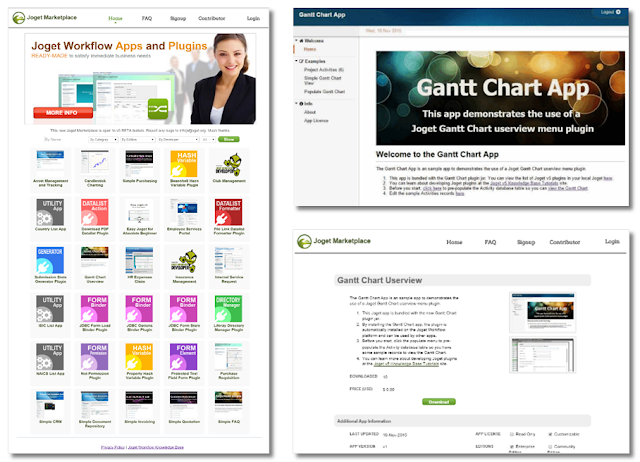
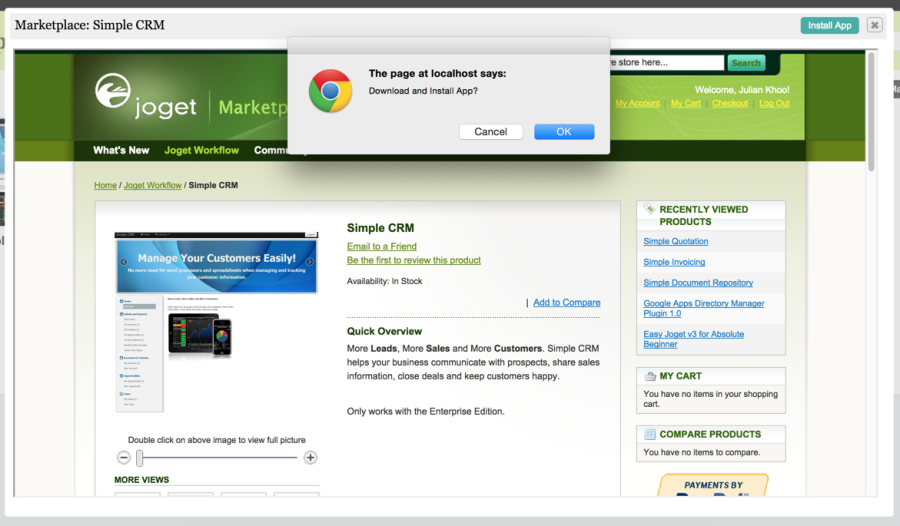
Recently, we quietly re-launched the Joget Marketplace . The beta marketplace is designed to work with Joget Workflow version 5 (currently available as RC ) to enable users to seamlessly download and install Joget Workflow apps. Log in as an admin user to access the marketplace from the v5 App Center. Click on the "Marketplace" link to load the Marketplace in a pop-up window. Next, create a new marketplace account and log in. To install an app, just browse to the app you want and click on the "Install" button at the top right corner of the pop-up window. If you are still using Joget Workflow v4, you will need to download the apps from the marketplace and then manually import them into your Joget Workflow server. The new marketplace will be packed with new apps and plugins. Most of these apps and plugins are free to download and use. You can use these apps or plugins as tutorials or templates to build your own apps and plugins. Some new apps and plugins inc...
Enterprise App Store and Form Signatures

Image
There’s a new beta release (v5.0 Beta 11) for Joget Workflow v5 with a couple of interesting new features. Seamless App Installation from the Joget Marketplace Firstly, the App Center now offers seamless integration with the Joget Marketplace so apps can be installed at the click of a button. This allows administrators to easily browse and import apps, in line with the vision of being a full-fledged Enterprise App Store. As usual, the apps can be used immediately, or customized further to fit any unique requirements. New Form Signature A new signature form element is now available to capture a user's signature. We’ve received many requests from customers, partners and the community for this feature, so this allows users to draw a signature using a mouse or touch screen. The final release of Joget Workflow v5 is coming very soon, as we incorporate all the great feedback from the beta testers. In the meantime, check out all the features and download the v5 Beta at ...

Joget Workflow v5 Form Data Audit Trail

Image
One of the most requested feature, the Form Data Audit Trail , is now available on v5. This new plugin allows the app designer to easily add event tracking capability to track all form events in their web apps. Simply configure the plugin in "Set Plugin Default Properties" under the app's "Properties & Export" section.   You can configure the plugin to track events for all forms or only for selected forms, and it will capture and log the events accordingly. The following is a screenshot of the form event data that has been captured by the plugin. Read more about Joget Workflow v5 or download the installers from http://www.joget.org/joget-workflow-v5-beta/

Joget v5 Process Builder

Image
In Joget Workflow v5, we have created a new fully web-based  Process Builder . In the new Process Builder, we strive to create a new environment that lets you focus more on quickly creating the process flow that you want, and less on how to actually use the designer. One may create a new succession of nodes from any of the existing nodes. In this Process Builder as well, the  Condition Helper is a new feature that helps you to build up your condition expressions easily. The previous Workflow Designer client which uses Java Web Start technology is still available to offer alternative means of designing processes based on preference.

Joget v5 Performance Analyzer

Image
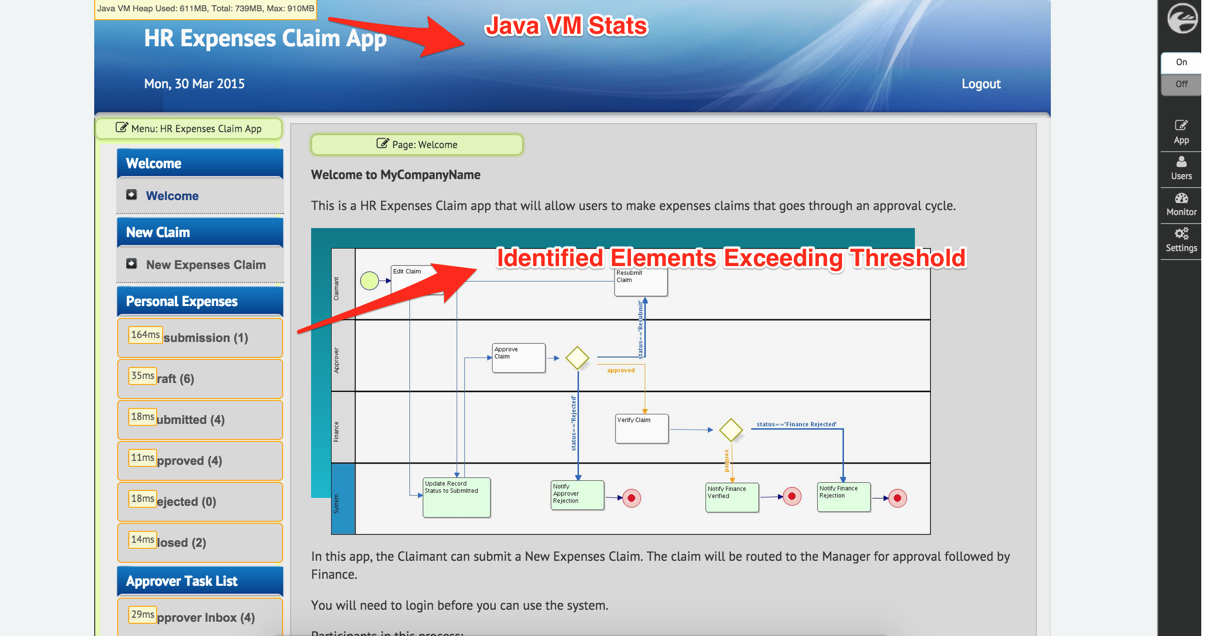
The Performance Analyzer is a new feature in Joget Workflow v5 Enterprise Edition that allows administrators and app designers to analyze the performance of their apps and to identify possible bottlenecks. When enabled, the Performance Analyzer identifies elements within a Userview where the processing time exceeds a specific threshold. Those elements in the Userview menu and current page will be highlighted when the Front-End Edit mode is active. Upon mouseover of a highlighted element, details of affected method calls and/or SQL statements will be displayed. By default, the Performance Analyzer is enabled with a threshold of 100ms. This setting can be overridden in the System Settings.

Popular Posts

Transforming Customer Onboarding: How Allied Benefit Systems Achieved Reporting Accuracy and Streamlined Business Processes with No-code/Low-code.

Check Out Our New Blog Location!

Joget DX 8 General Availability: Elevate Digital Transformation with Advanced UX and Governance Features

Superapps in the Enterprise: Up, Up and Away!

What Are We Brewing for Joget Workflow v3?